Meet through questions that matter.

Christian dating. Marriage in mind.

Answer questions about faith, family and marriage. Compare answers before you say hello, and start your first conversation with something real to talk about.

Download on the App Store Get it on Google Play

Free to join. For adults 18 and over.

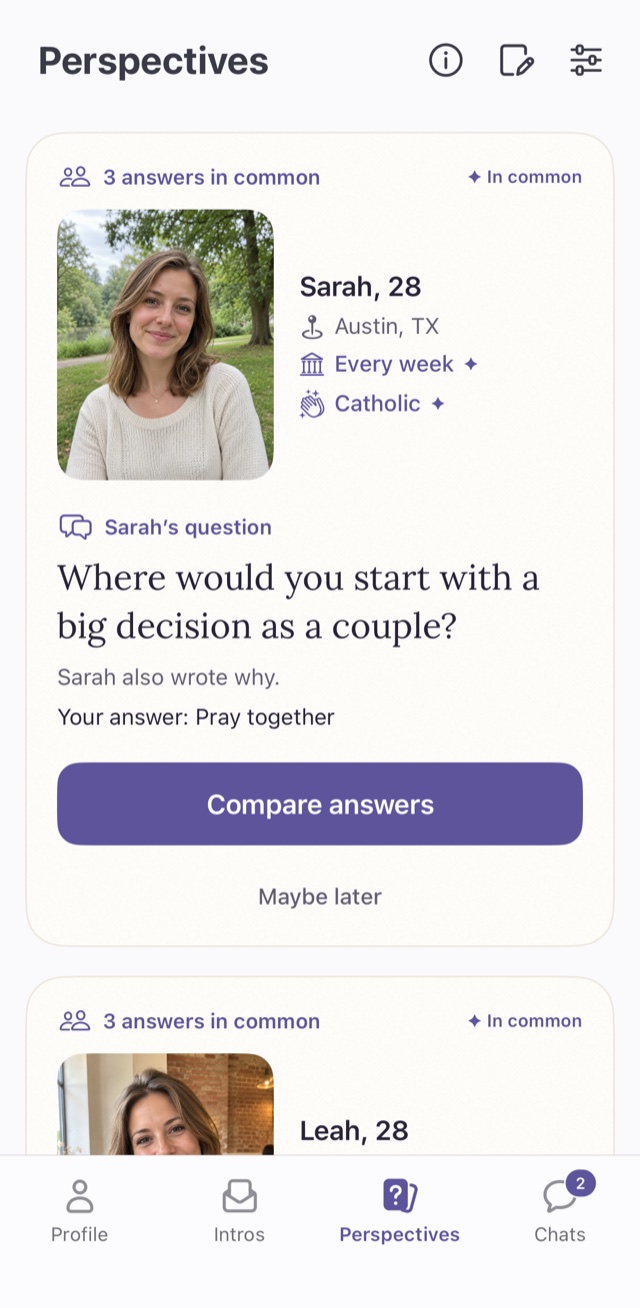
The Perspectives tab showing Sarah, 28, from Austin, with three answers in common and a Compare answers button
Sarah's question: Where would you start with a big decision as a couple?

How it works

Get to know someone through their answers.

Perspectives is how GraceMeet introduces people: one question at a time, about the things that shape a shared life.

  1. Choose your question

    Pick one you would enjoy talking about. Whoever answers it sees your answer.

  2. Answer theirs

    You answer someone's question before you see what they chose.

  3. Compare your answers

    See both choices and what you have in common. They aren't notified when you compare.

  4. Send an introduction

    They see your answers and decide. If they accept, a chat opens.

Compare

Compare before you say hello.

See both answers side by side, along with why each of you chose them. Questions you both answered the same way and profile details you share are marked as in common.

  • They aren't notified when you compare.
  • They see your answer to their question only if you send an introduction.
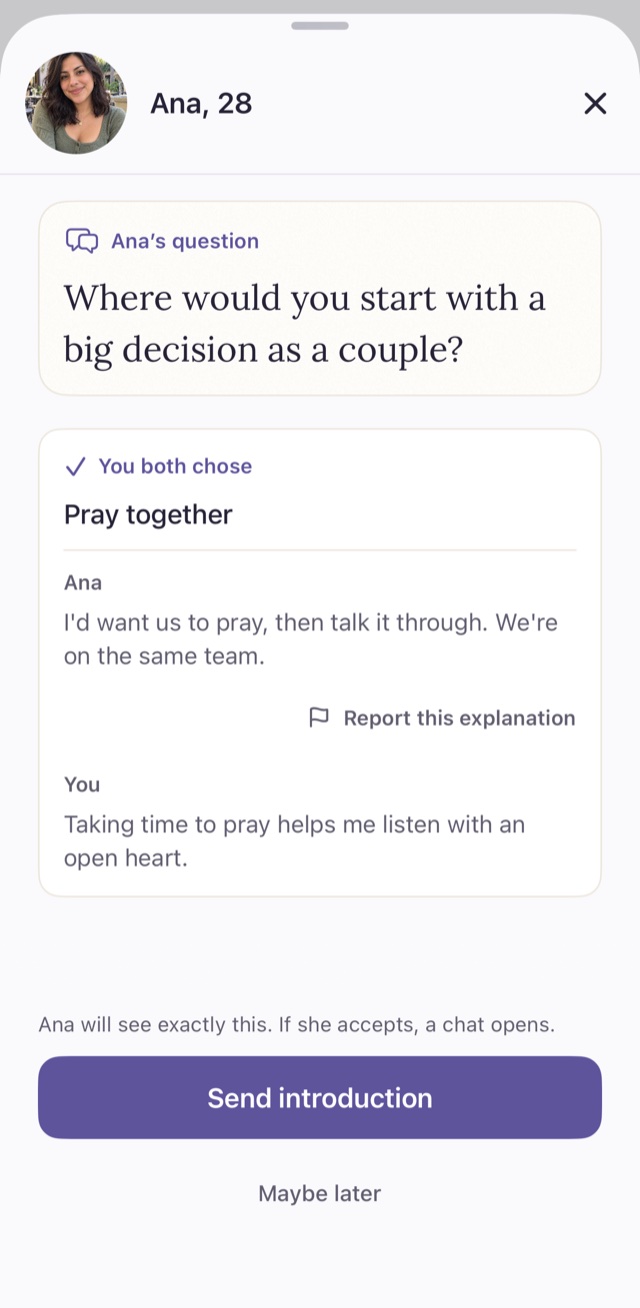
Comparing answers with Ana, 28: her question, both explanations, and a Send introduction button
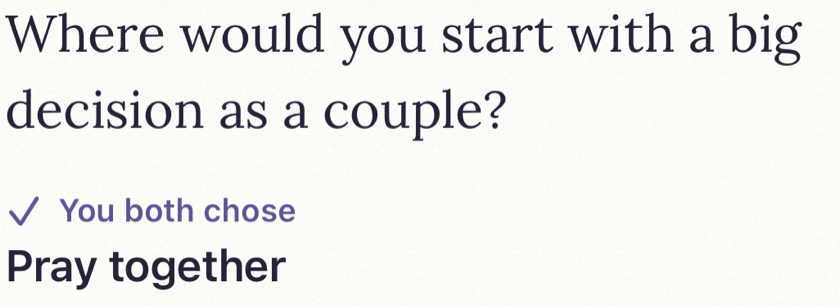
You both chose: Pray together

Introductions

A thoughtful hello. Your choice.

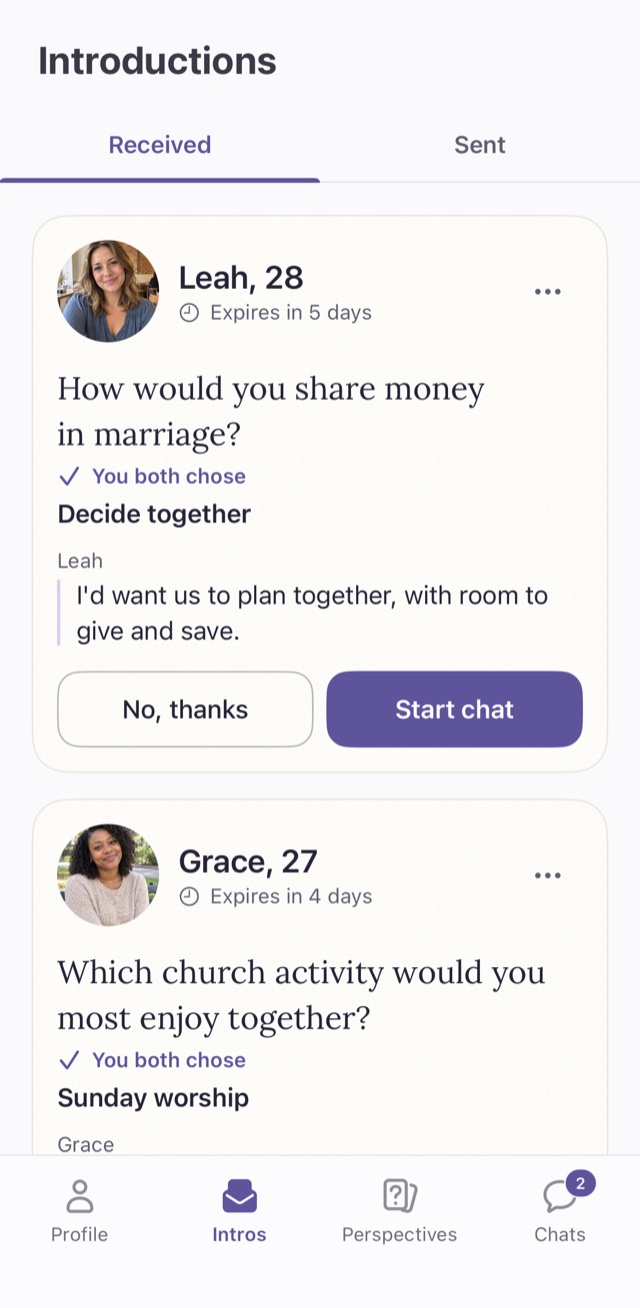
An introduction shows exactly what you compared. The person who receives it reads both answers and chooses: start a chat, or no, thanks.

  • A chat opens only when they accept.
  • Send a few introductions every day for free, or unlimited with Premium.
Received introductions from Leah, 28, and Grace, 27, each showing a question and the answer you both chose
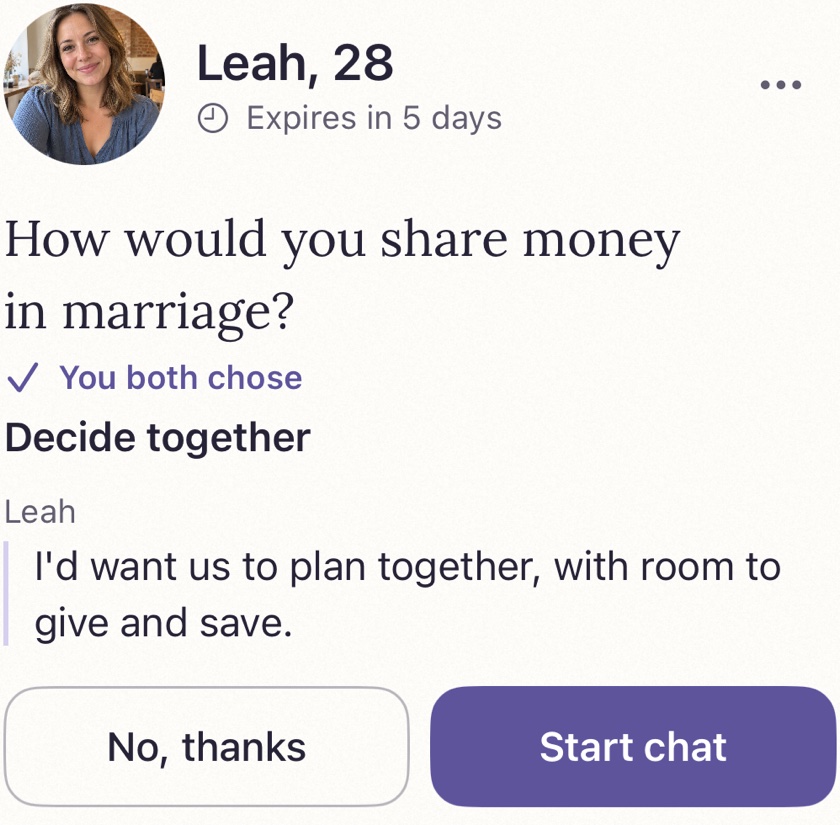
Leah's introduction: How would you share money in marriage? You both chose Decide together. Buttons: No, thanks and Start chat

Conversations

Shared answers. Real conversations.

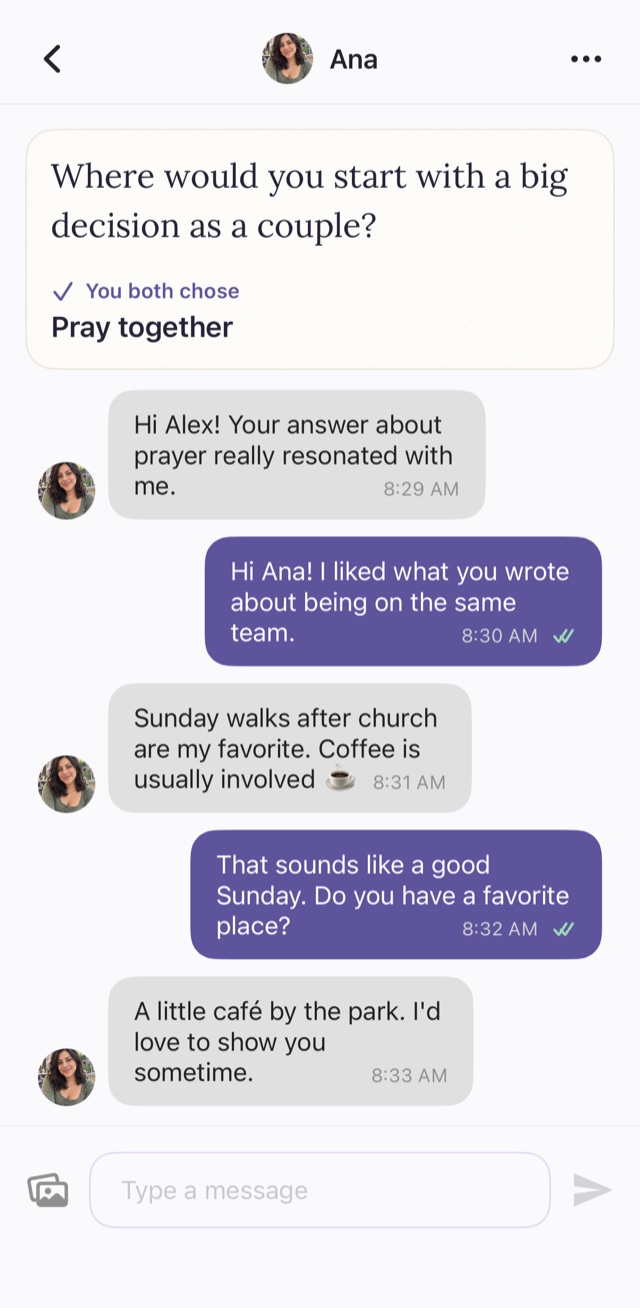
When an introduction is accepted, the chat opens with the question you both answered at the top, so the first message comes easily.

A chat with Ana that starts from your shared answer about prayer
Where would you start with a big decision as a couple? You both chose Pray together

Accountability partner

Walk with someone you trust.

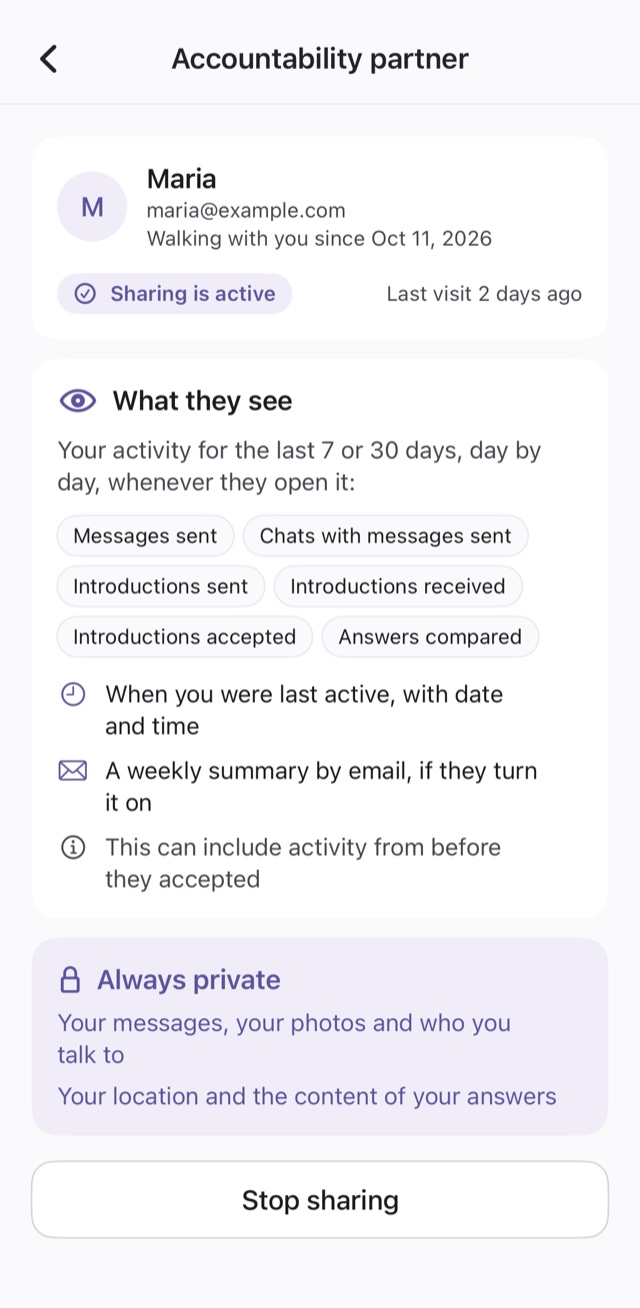
Choose someone you trust, like a friend, mentor or pastor. We email them an invitation, and once they accept, they can see a simple summary of your activity. You can stop sharing at any time.

The Accountability partner screen: Maria is walking with you and sharing is active
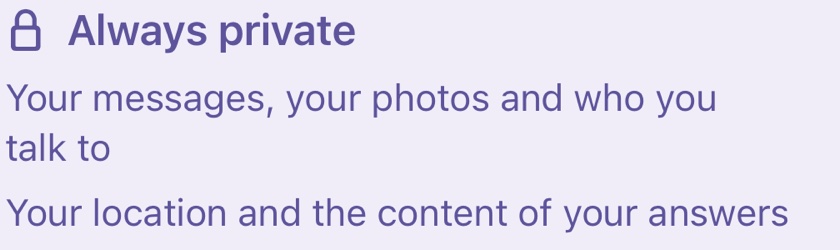
Always private: your messages, your photos and who you talk to, your location and the content of your answers

Faith first

Shared faith. A future together.

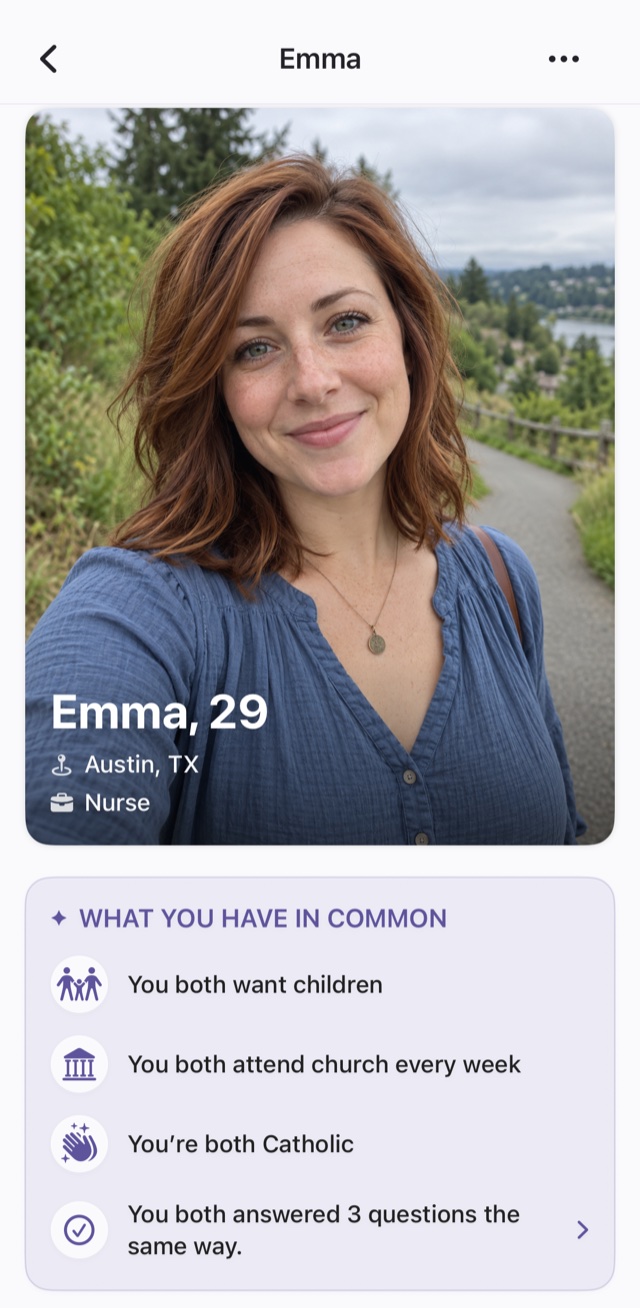
Profiles put faith and family up front, so you can see what you share before you say hello.

  • Whether you both want children
  • How often you go to church, and your denomination
  • The questions you answered the same way
Emma's profile with what you have in common: you both want children, attend church every week, are Catholic and answered three questions the same way

Safety

Respectful by design.

Face verification

A face check helps make sure people are who they say they are.

Report and block

Report a profile or a written explanation, and block anyone at any time.

FAQ

Questions, answered.

Is GraceMeet free?

Yes. You can create a profile, answer questions, compare answers and send a few introductions every day for free. Premium is optional and makes introductions unlimited.

Who is GraceMeet for?

Christian singles aged 18 and over who are dating with marriage in mind.

What does an accountability partner see?

A simple summary of your activity, such as how many messages and introductions you sent, and when you were last active. They never see your messages, your photos, who you talk to, your location or what you answered. You can stop sharing at any time.

Is GraceMeet available on iPhone?

GraceMeet is available on Google Play. The iPhone app is coming soon to the App Store.

How do I delete my account?

You can delete your account at any time in the app, under Profile, Settings, Delete Account. Our account deletion page explains what is removed and when.

Start with a question that matters.

Free on Google Play. Coming soon to the App Store.

Download on the App Store Get it on Google Play